
Search Endpoint
The Search endpoint serves as the public gateway for our Simployer internal search engine. To access this endpoint, it
is imperative to provide user context through the inclusion of the X-User or X-SasKey header parameter. This
mechanism ensures that users only gain access to content relevant to their permissions, thus serving as a crucial
security measure.
For practical testing of this endpoint, please refer to our Swagger documentation.
Contract Specification
Request Parameters
The following table delineates the parameters required for making a request to the API:
| Parameter | Type | Required |
|---|---|---|
X-User (header) |
GUID | Yes/No |
X-SasKey (header) |
GUID | Yes/No |
X-Culture (header) |
String: "en-US", "nb-NO", "sv-SE", "EN" | Yes |
searchString (query) |
String | Yes |
pageIndex (query) |
Integer | Yes |
pageSize (query) |
Integer | Yes |
handbookId (query) |
Integer | No |
contentTypes (query) |
Array of Integers | No |
Content Types Reference
| Name | Id |
|---|---|
| Folder | 4 |
| Articles | 8 |
| Url | 16 |
| File | 32 |
| FilePointer | 16384 |
Response Structure
The API response is structured as a JSON object, providing detailed information related to the search query results.
Response Example
{
    "numberOfHits": 1,
    "hits": [
        {
            "id": 100028,
            "guid": "5aebc2d5-7957-44df-a55a-595ffae984da",
            "handbookId": 100020,
            "handbookTypeId": 16,
            "handbookName": "Lorem ipsum System",
            "type": 8,
            "name": "Audit Policy",
            "content": "Lorem ipsum <em>policy</em>"
        }
    ],
    "aggregatedHits": {
        "hitsPerType": {
            "Article": 1,
            "Folder": 1
        },
        "hitsPerHandbook": {
            "100020": {
                "id": 100020,
                "handbookTypeId": 16,
                "name": "Lorem ipsum System",
                "numberOfHits": 1
            }
        }
    }
}
Key Response Attributes
numberOfHits: An integer specifying the total count of search results returned by the query.hits: An array containing detailed metadata for each individual search hit, including:id: Unique identifier for the content.guid: Globally unique identifier (UUID) associated with the content.handbookId: Identifier for the handbook to which the content belongs.handbookTypeId: Type identifier for the handbook.handbookName: Name of the handbook.type: Type of the content (e.g., Article, Folder).name: Name or title of the content.content: A snippet of the content where the search term was found, with the matching sentence highlighted using HTML<em></em>tags.
aggregatedHits: A nested object providing additional statistical insights into the search results, including:hitsPerType: Breakdown of search hits categorized by content type.hitsPerHandbook: Detailed statistics per handbook, including:id: Handbook identifier.handbookTypeId: Type identifier for the handbook.name: Name of the handbook.numberOfHits: Number of hits associated with the handbook.
Interpretation Guidelines
numberOfHits: Provides an aggregate count of the search results.hitsArray: Contains detailed metadata for individual search results, with content snippets highlighting the matched query term.aggregatedHits: Offers supplementary statistical insights into the search results, encompassing distribution by content type and per handbook.
SasKey Generation
One method to establish user context for searching is by employing SasKey, also recognized as read links. The following instructions outline how to generate a SasKey:
Navigate to the Handbook Admin and proceed to the Settings page.
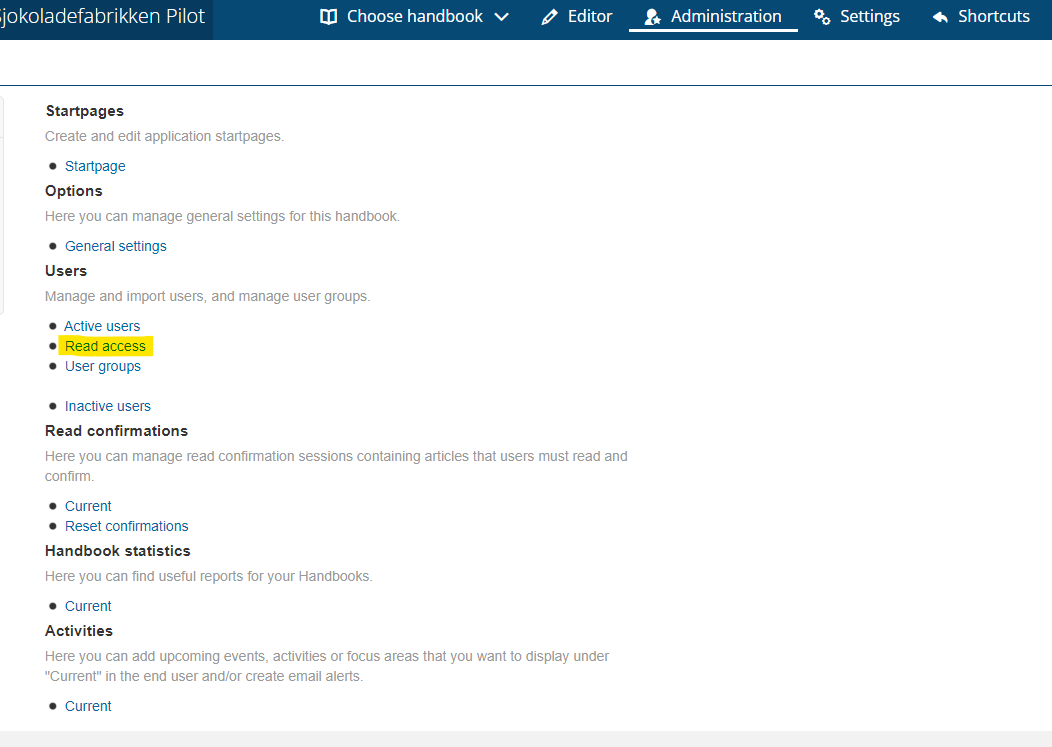
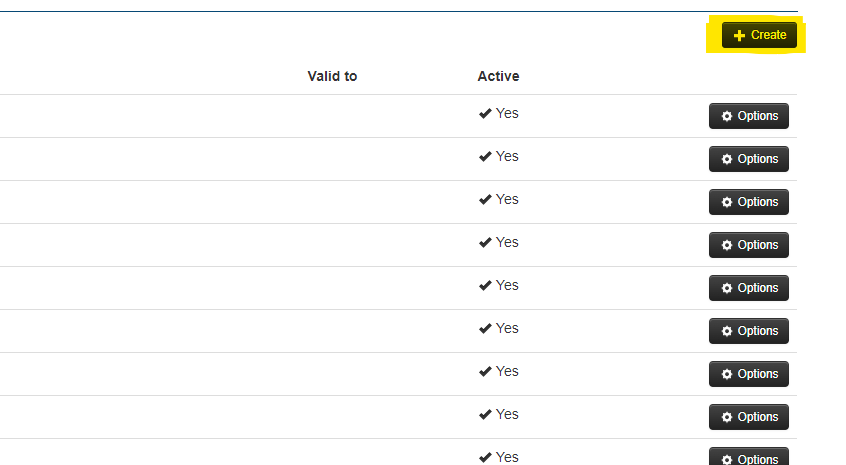
Within the Settings page, access the Read access section. Click on the Create button located in the top-right corner, as depicted below.
Configure the scope of access for the SasKey by specifying parameters such as name, language, and selecting the relevant handbook and/or groups. This defines the content accessible to individuals authenticating with this token.
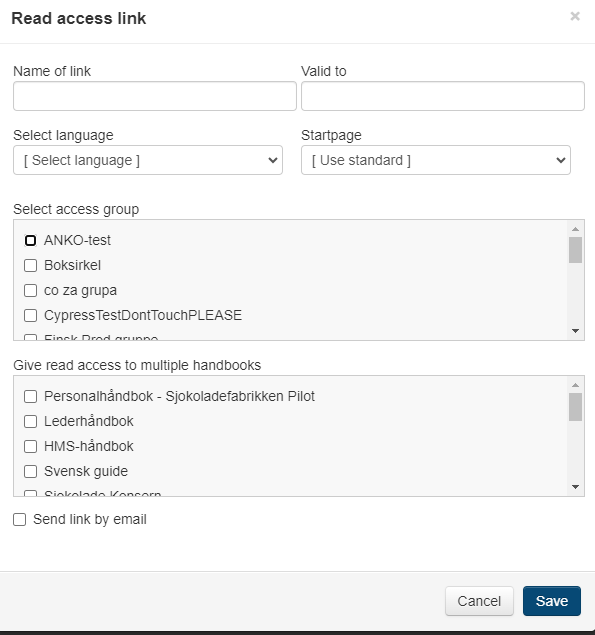
Ensure to check the Send link by email option for appropriate distribution.